Introduction to E-commerce UX
Definition of User Experience
User experience encompasses every aspect of a shopper’s interaction with your e-commerce platform. From the moment they land on your site to the final purchase confirmation, UX determines how users feel about your brand and products.
Why UX Matters in E-commerce
A smooth and enjoyable shopping experience builds trust, encourages repeat business, and minimizes cart abandonment. Studies show that 88% of online shoppers won’t return to a website after a poor experience. UX isn’t just about looks—it’s about how effectively your site functions.
Site Speed and Performance Optimization
Importance of Fast Load Times
If your website takes longer than three seconds to load, you’re losing potential customers. Speed impacts not only UX but also SEO rankings and bounce rates.
Tools to Analyze Speed
- Google PageSpeed Insights
- GTmetrix
- Pingdom Tools
Use these platforms to diagnose and fix slow-loading elements.
Mobile Responsiveness
Mobile-First Indexing
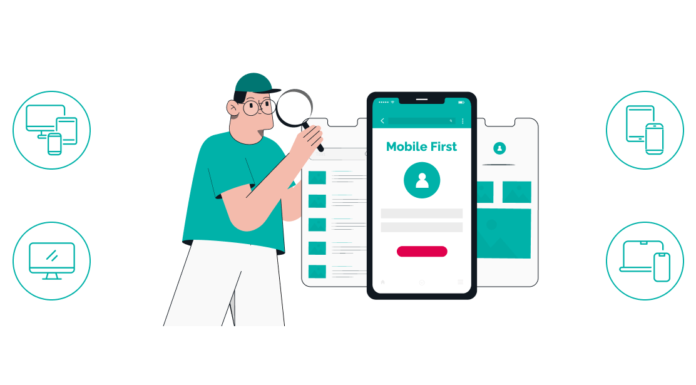
Google now indexes mobile versions first, making responsive design non-negotiable. Over 70% of online shopping is done on mobile devices.
Responsive Design Best Practices
- Use scalable images
- Avoid flash elements
- Prioritize vertical scrolling
Simplified Navigation and Search
Intuitive Menus and Categories
Users should find what they’re looking for in 2-3 clicks. Group products into logical categories and subcategories.
Auto-Suggest and Smart Search Features
Implement predictive search to help users find products faster. Include filters and sorting tools for better results.
High-Quality Product Pages
Clear Titles and Descriptions
Use concise, keyword-rich product names and bullet-point specs for easy scanning.
Image and Video Integration
High-resolution images and demo videos improve product understanding and reduce returns.
Social Proof and Reviews
Displaying user-generated reviews builds trust and helps convert skeptical buyers.
Streamlined Checkout Process
Fewer Clicks to Purchase
Minimize steps from cart to checkout. Enable auto-fill, and eliminate unnecessary fields.
Guest Checkout Options
Avoid forcing account creation. Let users buy first, register later.
Personalization and Recommendations
AI-Powered Suggestions
Leverage machine learning to suggest products based on browsing and purchase history.
User Behavior Tracking
Use analytics to adapt UX in real-time. Tailor homepage banners, promotions, and navigation.
Secure and Transparent Transactions
Visible Trust Badges
Display SSL certificates, secure payment icons, and privacy policy links clearly.
Multiple Payment Options
Offer popular methods like PayPal, Apple Pay, Google Pay, and Buy Now Pay Later options.
User-Centered Content Strategy
Educational Blogs and Guides
Inspire confidence with how-to guides, tutorials, and expert advice.
Live Chat and Chatbots
Provide instant support and reduce friction in the buying journey.
Accessible Design Principles
ADA Compliance in E-commerce
Follow Web Content Accessibility Guidelines (WCAG) for inclusivity.
Keyboard and Screen Reader Support
Ensure users with disabilities can navigate your site with ease.
Consistent Branding and Visual Design
Color Schemes and Typography
Use consistent visual elements to reinforce brand identity.
Brand Voice and Imagery
Align copy and media with your core values and target audience.
Real-Time Customer Support
Live Chat Features
Live chat increases conversion by 20-30% by providing immediate assistance.
FAQ and Help Centers
Offer searchable knowledge bases to empower self-service.
Post-Purchase Experience
Order Tracking
Send automated shipping updates and tracking links.
Easy Returns and Feedback Loops
Offer hassle-free return policies and collect user feedback to improve.
A/B Testing for UX Improvements
Testing CTA Buttons and Layouts
Compare colors, placements, and wording for best performance.
Interpreting User Behavior Data
Use heatmaps and click tracking to see what works.
UX Analytics and Tools
Hotjar, Crazy Egg, Google Analytics
These tools help visualize user flow and pinpoint friction points.
Measuring Drop-Off Rates
Track where users abandon the process and why.
Common UX Mistakes to Avoid
Poor Navigation
Confusing layouts frustrate users and increase bounce rates.
Lack of Mobile Optimization
Mobile users expect fast, responsive designs—not pinching and zooming.
Future Trends in E-commerce UX
Voice Search
Optimize for natural language queries to cater to smart assistant users.
Augmented Reality Shopping
Let users visualize products in their homes using AR technology.
Conclusion
Improving the user experience on e-commerce websites is a journey—not a one-time fix. By optimizing every step of the customer journey—from first click to final checkout—you can turn casual visitors into loyal buyers. Apply these 44 tips strategically, and your store will not only meet user expectations but exceed them.
Frequently Asked Questions (FAQs)
1. What is UX in e-commerce?
UX in e-commerce refers to the overall experience users have while interacting with an online store. This includes website design, ease of use, responsiveness, content, and functionality.
2. How can I improve my e-commerce site’s speed?
Use tools like Google PageSpeed Insights or GTmetrix, compress images, enable browser caching, and choose fast hosting.
3. What’s the best way to reduce cart abandonment?
Streamline the checkout process, offer guest checkout, use trust signals, and provide multiple payment options.
4. Why are product reviews important for UX?
Reviews act as social proof. They help users make informed decisions and build trust in your brand.
5. How can I make my e-commerce site accessible?
Follow WCAG guidelines, ensure keyboard navigation, use alt text for images, and offer text-to-speech compatibility.