How to Achieve Seamless Green Screen Effects Using After Effects
Introduction
Green screen (chroma keying) is a widely used technique in video production and VFX, allowing creators to replace backgrounds and create cinematic effects. Adobe After Effects is one of the most...
Using Particle Systems for Realistic Special Effects in After Effects
Introduction
Adobe After Effects is a powerful tool for creating stunning visual effects and motion graphics. One of its most dynamic features is particle systems, which allow users to simulate real-world effects...
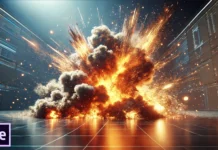
How to Create Explosive VFX in After Effects
Creating explosive visual effects (VFX) in Adobe After Effects can add a cinematic impact to your projects. Whether you're working on an action scene or a dramatic sequence, mastering explosion effects...

Working with 3D Cameras in After Effects: A Complete Guide
Adobe After Effects is a powerful tool for motion graphics and visual effects, and one of its most dynamic features is the ability to work with 3D cameras. Mastering 3D cameras...

Tracking Objects and Stabilizing Footage in After Effects
Introduction
Adobe After Effects is a powerful tool for motion tracking and stabilizing shaky footage. Whether you're working on a professional film project or a simple video edit, understanding how to track...

How to Create Advanced Visual Effects in After Effects
1. Introduction to Advanced VFX in After Effects
Advanced VFX in After Effects involves combining various tools, such as motion tracking, 3D elements, and particle simulations, to create seamless effects. Unlike basic...
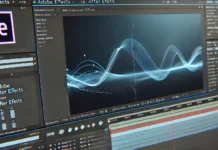
Using the Graph Editor in After Effects to Refine Your Animations
Introduction
Adobe After Effects is a powerful tool for motion graphics and animation. One of its most essential features for fine-tuning animations is the Graph Editor. If you want smooth, natural, and...
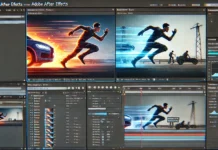
How to Use Motion Blur in After Effects for More Realistic Animation
Introduction
Motion blur is a crucial technique in animation and video editing that helps simulate the way objects blur when moving quickly in real life. In Adobe After Effects, motion blur enhances...

Tips for Creating Realistic Light and Shadow Effects
Creating realistic light and shadow effects is essential for adding depth, dimension, and realism to art, photography, and digital design. Mastering these techniques can enhance visual storytelling and create a more...

Exploring After Effects Expression Basics for Dynamic Animation
Adobe After Effects is a powerful tool for motion graphics and animation, and one of its most valuable features is expressions. Expressions allow users to automate animation, create dynamic effects, and...