Introduction
Dark mode has become a dominant trend in web and app design, offering better user experience, reduced eye strain, and power savings on OLED screens. This article explores why dark mode is important, how to implement it effectively, and best practices for usability and accessibility.
What is Dark Mode?
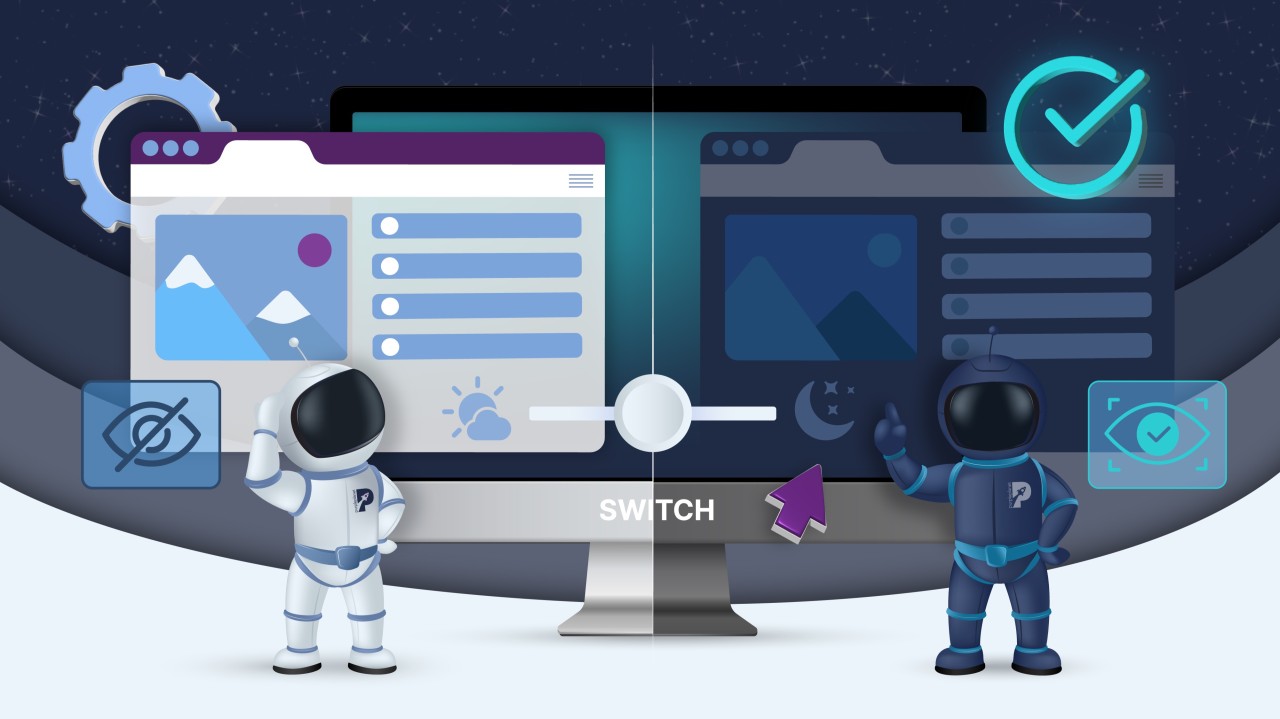
Dark mode, also known as night mode, is a UI setting that displays light-colored text/icons on a dark background instead of the traditional black text on a white background.
Brief History
- Early computers used dark mode by default (green/amber text on black).
- The shift to light mode happened with graphical user interfaces (GUIs).
- Dark mode resurgence came with OLED screens, which benefit from dark backgrounds.
Why is Dark Mode Popular?
Several factors contribute to the growing popularity of dark mode:
✔ User Preference – Many users find it more comfortable, especially at night.
✔ Tech Industry Adoption – Big brands like Apple, Google, and Microsoft promote dark mode.
✔ Health Considerations – Reduces eye strain in low-light environments.
✔ Battery Savings – OLED screens use less power when displaying dark backgrounds.
Key Benefits of Dark Mode
1. Reduces Eye Strain
- Easier on the eyes, especially in low-light environments.
- Helps prevent digital eye fatigue.
2. Increases Battery Life
- OLED and AMOLED screens consume less power with dark pixels.
- Extends battery life for mobile devices.
3. Looks Modern and Stylish
- Dark-themed UIs give a sleek, modern aesthetic.
- Preferred by developers, designers, and gamers.
4. Enhances Focus
- Dark backgrounds reduce glare, helping users focus on content.
Dark Mode vs. Light Mode: A Comparison
| Feature | Dark Mode | Light Mode |
|---|---|---|
| Eye Strain | Lower in low-light environments | Higher in dark environments |
| Battery Consumption | Saves battery on OLED screens | Higher battery usage |
| Readability | Good if well-designed | Universally easier to read |
| Aesthetic Appeal | Sleek, modern | Traditional, professional |
| Best Use Cases | Nighttime browsing, gaming, developer tools | Reading-heavy content, daytime use |
How to Implement Dark Mode in Web Design
1. Using CSS
cssCopyEditbody {
    background-color: #121212;
    color: #ffffff;
}
2. JavaScript Toggle
jsCopyEditconst toggleSwitch = document.querySelector('.theme-switch input[type="checkbox"]');

toggleSwitch.addEventListener('change', function() {
    document.body.classList.toggle('dark-mode');
});
3. Using CSS Variables
cssCopyEdit:root {
    --bg-color: white;
    --text-color: black;
}

.dark-mode {
    --bg-color: black;
    --text-color: white;
}

body {
    background-color: var(--bg-color);
    color: var(--text-color);
}
Best Practices for Dark Mode UI Design
✔ Maintain Contrast – Avoid pure black (#000000) for better readability.
✔ Use Soft Colors – Dark grays (#121212, #1E1E1E) reduce harsh contrast.
✔ Ensure Accessibility – Check WCAG guidelines for proper contrast ratios.
✔ Test on Different Screens – Optimize for both LCD and OLED displays.
Dark Mode and User Experience (UX)
🔹 Improves focus and readability for visual-heavy applications.
🔹 Reduces glare in low-light conditions.
🔹 Can be difficult for users with visual impairments (e.g., astigmatism).
Popular Websites Using Dark Mode
✔ Google Chrome & YouTube – System-wide dark mode.
✔ Twitter & Reddit – User-selectable dark themes.
✔ GitHub & VS Code – Preferred by developers.
Dark Mode in Mobile Apps vs. Websites
| Feature | Mobile Apps | Websites |
|---|---|---|
| Battery Efficiency | Significant savings | Minimal impact |
| User Control | Built-in OS settings | JavaScript/CSS-based toggles |
| Adoption | High | Growing |
How to Add a Dark Mode Toggle Button (Step-by-Step)
1️⃣ Add a toggle button in HTML:
htmlCopyEdit<label class="theme-switch">
    <input type="checkbox">
    <span class="slider"></span>
</label>
2️⃣ Add JavaScript to enable switching:
jsCopyEditdocument.querySelector(".theme-switch input").addEventListener("change", () => {
    document.body.classList.toggle("dark-mode");
});
3️⃣ Style it with CSS.
The Future of Dark Mode in Web Design
🔹 Increased adoption across all platforms.
🔹 AI-powered auto-theming for better UX.
🔹 More accessibility improvements.
Conclusion
Dark mode improves user experience, reduces eye strain, and enhances battery efficiency. By following best practices and accessibility guidelines, you can implement a user-friendly dark mode for your website.
FAQs
1. Does dark mode save battery life?
Yes, but only on OLED and AMOLED screens.
2. Is dark mode better for the eyes?
It helps in low-light environments, but high contrast can be hard to read for some users.
3. Can dark mode improve SEO?
Indirectly—better UX can lead to lower bounce rates.
4. How do I enable dark mode on my website?
Use CSS variables and JavaScript toggles.
5. Should I offer both dark and light mode?
Yes, giving users a choice enhances UX.