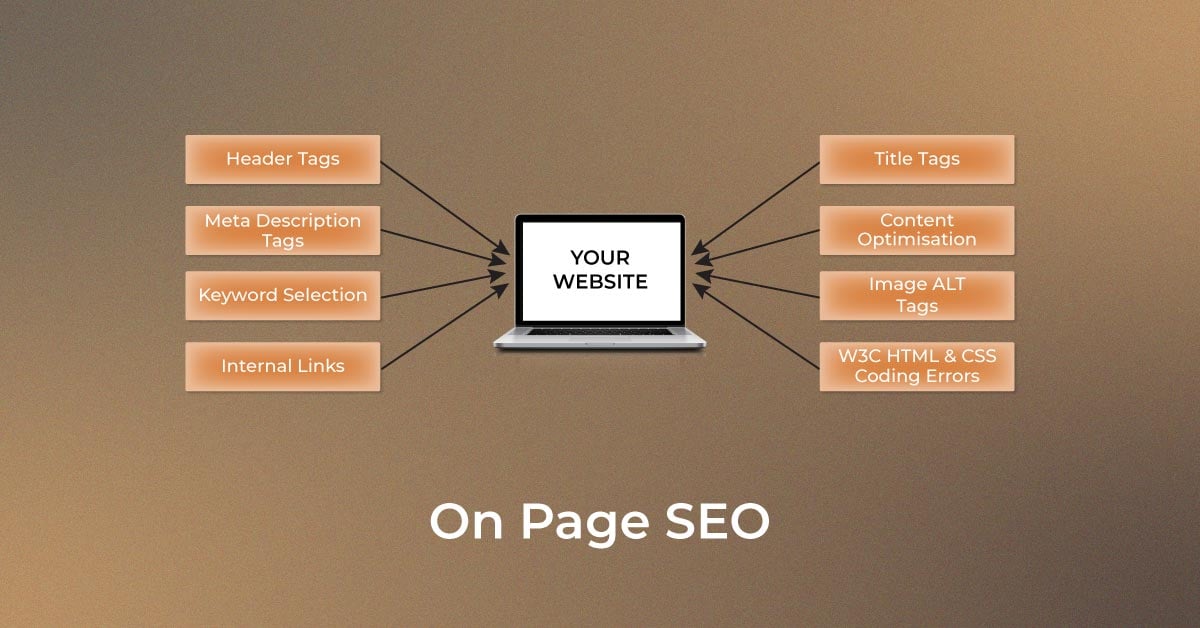
1. Introduction to On-Page SEO for Web Developers
On-page SEO plays a crucial role in improving website visibility and search rankings. Unlike off-page SEO, which focuses on backlinks and external signals, on-page SEO involves optimizing individual pages to enhance their relevance and usability. Web developers must incorporate various techniques to ensure that search engines can effectively crawl, index, and rank their pages.
2. Importance of On-Page SEO
On-page SEO is vital for several reasons:
- Improves website rankings on search engines
- Enhances user experience and engagement
- Helps search engines understand the page content better
- Reduces bounce rates and increases dwell time
By implementing best practices, developers can ensure their sites perform well in search results.
3. Optimizing Title Tags and Meta Descriptions
Title tags and meta descriptions are critical for SEO. Here’s how to optimize them:
- Keep title tags within 50-60 characters
- Include primary keywords naturally
- Write compelling meta descriptions (150-160 characters) with a call to action
- Ensure each page has a unique title and description
4. Proper Use of Heading Tags (H1-H6)
Using heading tags correctly helps with both SEO and user experience:
- The H1 tag should contain the main keyword and be unique per page
- Use H2, H3, and H4 tags to structure content logically
- Avoid skipping heading levels (e.g., jumping from H1 to H3)
5. URL Structure and SEO Best Practices
A clean and SEO-friendly URL structure improves click-through rates (CTR) and search engine rankings:
- Use short, descriptive URLs with relevant keywords
- Avoid special characters and unnecessary numbers
- Use hyphens (-) instead of underscores (_)
- Keep URLs lowercase
6. Image Optimization for Faster Load Times
Images enhance user engagement but can slow down a site if not optimized:
- Compress images without compromising quality (use tools like TinyPNG)
- Use descriptive alt text for accessibility and SEO
- Implement lazy loading for faster page rendering
- Choose appropriate image formats (WebP, PNG, JPEG)
7. Internal Linking Strategies
Internal links help search engines discover new pages and improve page authority:
- Link relevant pages using descriptive anchor texts
- Avoid excessive linking; keep it natural
- Update old content with links to newer pages
- Use a logical site structure
8. Mobile Optimization and Responsive Design
With Google’s mobile-first indexing, responsive design is a must:
- Use responsive frameworks like Bootstrap
- Optimize touch elements for better usability
- Ensure fast loading times on mobile devices
9. Page Speed and Performance Optimization
Google prioritizes fast-loading websites. To improve speed:
- Minimize HTTP requests
- Enable browser caching
- Use a Content Delivery Network (CDN)
- Optimize JavaScript and CSS files
10. Schema Markup Implementation
Schema markup enhances search results by providing additional context:
- Use JSON-LD format for structured data
- Implement rich snippets for reviews, recipes, FAQs, etc.
- Test markup using Google’s Structured Data Testing Tool
11. Keyword Optimization and Placement
To maximize keyword effectiveness:
- Use primary keywords in the title, URL, and first 100 words
- Avoid keyword stuffing
- Utilize LSI keywords naturally
- Optimize for long-tail keywords
12. Content Quality and Readability
Google prioritizes valuable content. To improve quality:
- Write in a conversational and engaging tone
- Use bullet points and short paragraphs
- Ensure grammatical accuracy and clarity
13. User Experience (UX) and SEO
Better UX leads to better rankings:
- Improve site navigation
- Reduce intrusive pop-ups
- Ensure fast interactivity
14. Core Web Vitals and Their Impact on SEO
Google’s Core Web Vitals measure website performance:
- Largest Contentful Paint (LCP) – Measures load time
- First Input Delay (FID) – Measures interactivity
- Cumulative Layout Shift (CLS) – Measures visual stability
15. Canonical Tags and Duplicate Content Prevention
Use canonical tags to prevent duplicate content issues:
- Place
<link rel="canonical" href="URL">in the<head>section - Use self-referential canonical tags
16. Optimizing for Featured Snippets
To appear in featured snippets:
- Use question-based headings
- Provide concise, well-structured answers
- Format content using lists, tables, and bullet points
17. Voice Search Optimization
Voice search is growing rapidly:
- Use conversational keywords
- Optimize content for direct answers
- Focus on local SEO
18. SEO-Friendly JavaScript Implementation
Ensure search engines can crawl JavaScript-based content by:
- Using server-side rendering (SSR)
- Implementing dynamic rendering
19. Secure Website with HTTPS
Google prioritizes secure websites:
- Obtain an SSL certificate
- Redirect HTTP to HTTPS
20. XML Sitemaps and Robots.txt Configuration
Help search engines crawl your site effectively:
- Generate an XML sitemap and submit it to Google Search Console
- Optimize the robots.txt file to control crawling
FAQs
1. What is on-page SEO?
On-page SEO involves optimizing individual web pages to improve search rankings and user experience.
2. Why is page speed important for SEO?
A faster website enhances user experience, reduces bounce rates, and improves rankings.
3. How does schema markup help SEO?
Schema markup provides additional context to search engines, improving search visibility with rich snippets.
4. How can developers optimize images for SEO?
By compressing images, using descriptive alt text, and implementing lazy loading.
5. What are Core Web Vitals?
Core Web Vitals measure a website’s load time, interactivity, and visual stability, impacting rankings.